1. The Historical Evolution & Engineering Behind Web Image Formats (JPG, PNG, WebP, AVIF, SVG)
Over the past three decades, web media engineering has evolved radically. No image format was developed by chance; each emerged as a mathematical and algorithmic solution to specific computational bottlenecks and bandwidth constraints:
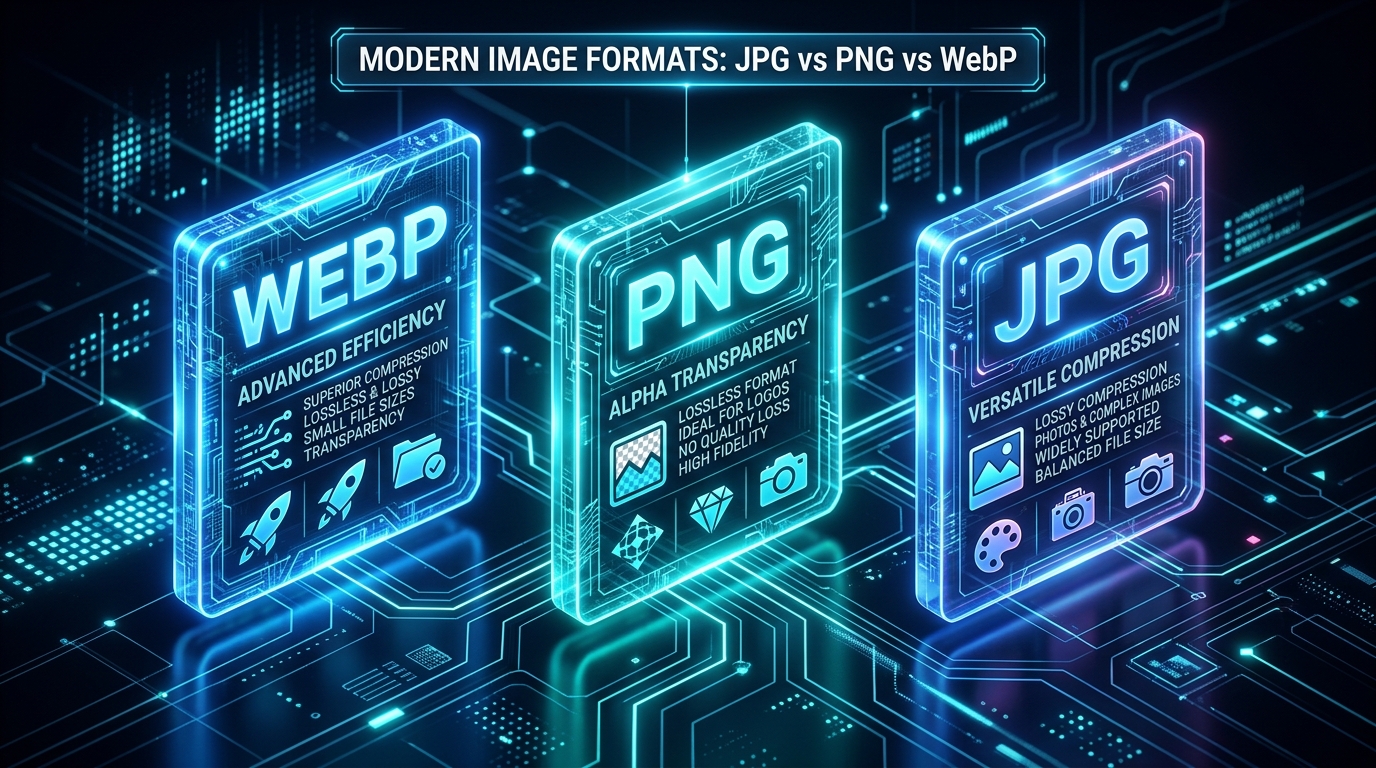
- JPEG / JPG (1992): Standardized by the Joint Photographic Experts Group as the pioneering lossy format for photographic media, deploying Discrete Cosine Transform (DCT) algorithms to compress millions of continuous-tone colors.
- PNG (1996): Created as a free, open-source lossless standard by the W3C community to replace proprietary GIF patents, introducing revolutionary full 8-bit alpha-channel transparency.
- WebP (2010): Developed by Google to combine the rich compression efficiency of JPG, the alpha transparency of PNG, and GIF-style animations inside a single lightweight container.
- AVIF (2019): A cutting-edge codec derived from the open-source AV1 video framework by the Alliance for Open Media, delivering unprecedented compression efficiency and 12-bit HDR capabilities.
- SVG (2001): The W3C vector XML standard providing infinite resolution scaling at featherlight file sizes for geometric icons and interface marks.
2. Inside JPEG Architecture: How DCT Compression Operates and When to Deploy It
JPEG relies on lossy mathematical approximation designed around human retinal perception. It processes image matrices through three sequential phases:
- Luminance-Chrominance Separation (YCbCr): Isolates brightness Y from color channels Cb/Cr, applying Chroma Subsampling (4:2:0) to halve color resolution with zero perceived sharpness loss.
- 8×8 Block DCT: Converts spatial pixels into frequency domain coefficients to separate smooth gradients from edge details.
- Quantization & Huffman Coding: Divides high frequencies to convert imperceptible data into zero matrices, followed by lossless Huffman entropy encoding.
3. Inside PNG Architecture: Lossless Deflate Compression and True Alpha Transparency
PNG was engineered for bit-for-bit mathematical perfection with zero visual compromise. It relies on the robust Deflate algorithm (a hybrid of LZ77 string matching and Huffman prefix encoding):
- Predictive Delta Filtering: Prior to compression, PNG applies byte filters (Sub, Up, Average, Paeth) to calculate mathematical differentials between adjacent pixels, dramatically enhancing Deflate compression ratios.
- 8-bit Alpha Channel Transparency: Unlike binary 1-bit transparency, PNG-24 supports 256 discrete levels of opacity, enabling seamless blending of soft drop-shadows and anti-aliased curves over any background.
- PNG-8 vs. PNG-24: PNG-8 indexes up to 256 colors for lightweight graphic badges, while PNG-24 preserves full 16.7-million-color fidelity at the cost of 3x to 5x larger payloads.
4. The WebP Revolution: How Google United JPG Efficiency with PNG Transparency
Engineered by Google, WebP represents the uncontested gold standard of modern web performance, built upon the high-performance VP8 and VP8L video codec foundation:
- Intra-Frame Spatial Prediction:
WebP predicts pixel block values using neighboring directional vectors and encodes only residual differential data, achieving superior compression over traditional JPEG. - Unified Container Capability:
Supports both lossy and lossless modes with full 8-bit alpha transparency across both architectures. - High-Performance Animated WebP:
Replaces outdated GIF animations with 24-bit TrueColor animation streams that are 64% smaller than legacy GIFs.
5. The Next-Gen Challenger: Will AVIF Surpass WebP in Modern Web Platforms?
Derived from the open-source AV1 video codec by the Alliance for Open Media (AOMedia), AVIF represents the absolute frontier in visual media compression:
- Unmatched Compression Ratios: Delivers files up to 20% smaller than WebP and 50% smaller than JPEG at identical perceptual fidelity.
- High Dynamic Range (HDR) & 12-Bit Depth: Natively supports wide color gamuts (BT.2020) and 10/12-bit color depth, eliminating color banding in cinematic and astrophotography assets.
- Computational Decode Trade-Offs: AVIF requires higher client-side CPU decoding cycles than WebP, but enjoys rapidly expanding browser adoption (currently 93.5% globally vs. WebP at 98.8%).
6. Master Technical Comparison: The Complete Engineering Matrix
The matrix below provides an authoritative side-by-side benchmark of all 5 web image formats:
7. Real-World Performance Benchmarks: Byte Sizes & Perceptual Fidelity
Empirical laboratory tests on three standard digital asset categories reveal tangible payload savings and SSIM fidelity indices:
8. Format Selection Impact on Core Web Vitals and Google SEO Rankings
Google PageSpeed audits prioritize the explicit audit warning: "Serve images in next-gen formats". Strategic codec selection directly drives 3 primary SEO signals:
- Securing Green LCP Scores: Swapping heavy PNGs for WebP or AVIF on hero banners drops Largest Contentful Paint from 3.8s down to under 0.9 seconds, earning maximum Google ranking signals.
- Reduced Memory Allocation & Smooth INP: Decompressing large PNG files on constrained mobile devices spikes JavaScript main-thread latency. Next-gen codecs ensure instantaneous response to user taps and scrolls.
- Crawl Budget Acceleration: Lean payload weight enables Googlebot to parse, render, and index dozens of additional pages during each crawl cycle.
9. Practical Decision Matrix: Choosing the Right Format for Every Asset
Deploy this 5-second decision blueprint across your design and engineering teams:
- 🖼️ E-Commerce Product Catalogs & Editorial Photos: 👈
WebP (Lossy 80%–85%)(The gold standard for speed and fidelity). - 🌄 Homepage Hero Banners & Full-Width Media: 👈
AVIFwithWebPfallback to keep assets under 150KB. - 🎨 Brand Logos, UI Icons & Vector Shapes: 👈
SVG(Infinite mathematical clarity under 5KB). - 📸 Technical Screenshots with Small Typography: 👈
WebP LosslessorPNG-24. - 🎬 Micro-Animations & UI Spinners: 👈
Animated WebPorLottie (JSON)in place of heavy GIFs. - 🖨️ Commercial Paper Print & High-Res Archives: 👈
High-Quality JPEG (300 DPI)orTIFF.
10. Modern Responsive HTML5: Delivering Next-Gen Formats with Bulletproof Fallbacks
Leverage the HTML5 <picture> element to deliver next-gen efficiency to cutting-edge browsers without breaking backward compatibility:
<picture>
  <!-- Primary stream: AVIF for modern clients -->
  <source srcset="product-photo.avif" type="image/avif">

  <!-- Secondary stream: Universal WebP -->
  <source srcset="product-photo.webp" type="image/webp">

  <!-- Universal legacy fallback with explicit dimensions -->
  <img src="product-photo.jpg"
       alt="JPG vs PNG vs WebP Image Format Comparison"
       width="1200"
       height="800"
       loading="lazy"
       decoding="async">
</picture>
11. Zero-Upload Batch Format Conversion & Compression with GToolix
The GToolix Free Image Converter executes 100% locally inside your web browser via hardware-accelerated WebAssembly:
- Select Master Files: Open the GToolix Image Converter and drag JPG, PNG, or GIF assets into the dropzone.
- Pick Output Codec: Select WebP or PNG, set quality (80%–85% recommended), and monitor estimated size reduction live.
- Verify Transparency: Use the interactive split comparison slider to inspect alpha channels and edge clarity.
- Export Individual or ZIP Batch: Download optimized files individually or click Download All (ZIP) to save the entire processed collection instantly.
12. Critical Image Format Mistakes and How to Avoid Them
Prevent these four widespread errors that compromise website aesthetics and search engine performance:
- ⚠️ Converting Transparent PNGs to JPG: Strips alpha channels and turns transparency into harsh white or black boxes. Always convert to
WebPor preservePNG. - ⚠️ Converting Low-Res JPGs to PNG: Converting already-compressed JPGs to PNG cannot restore lost visual frequencies; it merely inflates file weight by 500% with zero visual benefit.
- ⚠️ Deploying Legacy GIF Animations: Standardized in 1987, GIFs are massive performance killers limited to 256 colors. Migrate to
Animated WebPorLottie. - ⚠️ Ignoring Resolution Resizing Before Format Conversion: Converting a 4000px master file to WebP is ineffective if the display container is only 800px wide. Always crop dimensions first.
13. Future-Proofing Web Media: JPEG XL and Client-Side Neural Codecs
The visual media landscape continues to evolve at breakneck speed. The upcoming JPEG XL (JXL) standard introduces transformative features:
- Lossless Transcoding of Legacy JPEGs: JXL enables instant, bit-for-bit lossless transcoding of existing web JPEG libraries, cutting file sizes by 20% with zero visual loss.
- Professional High-Bitdepth Media: Full support for up to 32-bit floating-point depth, multi-gigapixel canvas resolutions, and seamless animation.
- Neural Browser Super-Resolution: Machine learning models integrated into client rendering engines (WebGPU) that reconstruct fine textural details locally.
14. Actionable Production Checklist for Web Developers & Site Owners
Execute this 6-point checklist prior to publishing visual media assets:
- ✔️ Photographic Assets: Encode as
WebP (80%–85% Quality)under 120KB. - ✔️ Branding & Icons: Deploy clean, minified
SVGvectors under 5KB. - ✔️ Complex Transparent Overlays: Utilize
WebP Losslessor optimizedPNG-24. - ✔️ Explicit Dimensions: Declare
widthandheighton every image to eliminate CLS. - ✔️ Responsive Picture Elements: Wrap assets in
<picture>tags for modern delivery. - ✔️ Secure Processing: Process batch conversions locally via the GToolix Image Converter.