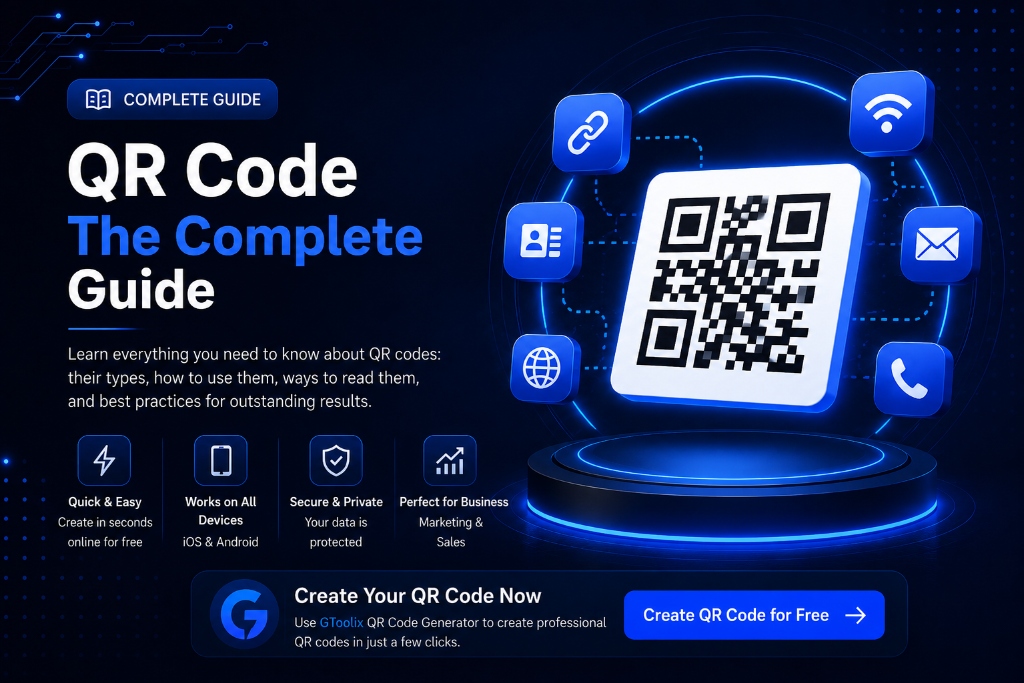
1. What is a QR Code? History, Anatomy, and Evolution
QR Code stands for Quick Response Code. It is a two-dimensional (2D) matrix barcode developed in 1994 by Japanese engineer Masahiro Hara and his team at Denso Wave to track automotive components with high-speed optical scanning. Denso Wave released the patent rights to the public domain, leading to international standardization under ISO/IEC 18004.
Core Structural Anatomy:
2. How QR Codes Work: Technical Architecture
Unlike traditional 1D barcodes that store roughly 20 numeric digits horizontally, 2D QR codes encode binary data across both horizontal and vertical axes simultaneously. When a smartphone sensor scans the matrix, the image processor detects the three corner finder patterns, normalizes skew and perspective distortion, extracts timing coordinates, and uses Reed-Solomon algorithms to decode the binary payload in milliseconds.
3. Static vs. Dynamic QR Codes: Complete Comparison
| Feature | Static QR Code | Dynamic QR Code | | :--- | :--- | :--- | | Destination Editable After Print | ❌ Permanent (No) | ✔️ Real-time updates anytime | | Lifespan | ✔️ Lifetime (Never expires) | ⚠️ Dependent on redirection server | | Server Intermediary | ❌ None (100% self-contained) | ✔️ Requires short-URL proxy | | Scan Tracking & Analytics | ❌ Not directly supported | ✔️ Full analytics & geo-tracking | | Privacy & Security | 🔒 Data encoded inside pixels | ⚠️ Relies on third-party server | | Cost | 🆓 100% Free Forever | 💳 Often subscription-based | | Visual Density | Grows with text length | Fixed, uniform, and clean |
4. How to Generate a Free QR Code with GToolix
With the free QR Code Generator on GToolix, you can generate custom high-resolution codes in seconds with 100% client-side privacy:
5. Converting Website URLs to QR Codes
Encoding URLs represents over 80% of QR code usage worldwide. You can convert links to e-commerce stores, product landing pages, YouTube channels, and social media profiles into instant interactive portals.
?utm_source=flyer&utm_medium=qr) to measure conversions precisely in Google Analytics 4.6. Creating Plain Text QR Codes
Plain text QR codes store static text, equipment operation instructions, shipment tracking codes, or promo vouchers directly in the matrix without requiring internet access during scanning.
7. Wi-Fi QR Codes: Instant Password-Free Connection
Wi-Fi codes allow guests in cafes, hotels, and homes to connect to wireless networks immediately using standard formatting:
``
WIFI:S:Network_Name;T:WPA;P:Password123;H:false;;
``
Pointing a smartphone camera at the code triggers an instant "Join Network" prompt without typing complex passwords manually.
8. QR Codes for Phone Numbers & Instant Calling
Encoding phone numbers with the TEL:+1234567890 protocol opens the native dialer with the target number prefilled—ideal for emergency hotlines, support desks, and packaging labels.
9. QR Codes for SMS Text Messaging
Pre-populates the recipient number and body text (e.g., warranty activation or promotional opt-in) via the SMSTO:+1234567890:Hello, I would like to inquire protocol.
10. QR Codes for Email Composition
Configures the recipient email, subject line, and draft message body using the mailto:support@gtoolix.com?subject=Support%20Request standard to streamline customer inquiries.
11. vCard Digital Business Cards
vCard QR codes are the universal standard for sharing contact cards (full name, phone, email, organization, job title, and website), enabling recipients to save contact information into their address book with a single tap.
12. QR Codes in Restaurants & Cafes (Contactless Menus)
Digital QR menus have become an essential standard in modern hospitality, eliminating recurring reprint costs, allowing instant price and dish adjustments, and presenting appetizing media to boost up-selling.
13. QR Codes in Retail, E-Commerce, and Product Packaging
Leading retail brands utilize QR codes on product packaging to guide customers to assembly video tutorials, digital warranty registrations, and anti-counterfeiting verification systems.
14. QR Codes in Offline-to-Online Marketing Campaigns
QR codes serve as the ultimate bridge converting physical foot traffic, billboard viewers, and brochure readers into trackable digital conversions and qualified leads.
15. QR Codes in Education & Academic Institutions
Educators integrate QR codes into textbooks to direct students to interactive simulations, video explanations, and online assignment portals seamlessly.
16. QR Codes for Events, Conferences, and E-Ticketing
Accelerate venue check-ins by scanning encrypted digital badges in sub-second time, preventing ticket duplication while providing digital conference schedules and floor plans.
17. QR Codes on Resumes (CV) and Business Cards
Adding an elegant vector QR code to your resume gives recruiters immediate access to your online portfolio, GitHub repositories, and LinkedIn profile.
18. How to Scan QR Codes on iOS, Android, and Desktop
- iPhone (iOS): Open the built-in Camera app, point steadily at the code, and tap the yellow notification banner.
- Android: Use the native Camera app or activate Google Lens from the search bar.
- Desktop (Windows/Mac): Upload code screenshots to web decoders or use browser reader extensions.
19. QR Code Security & Countering QR Phishing (Quishing)
QR codes themselves are inherently safe, but malicious links can lead to phishing portals. Always inspect the destination URL domain and verify HTTPS protocols before entering credentials.
20. Rules for Maximum Scan Reliability
- High Contrast: Dark modules over crisp white backgrounds.
- Quiet Zone Integrity: Maintain at least a 4-module blank border around the code.
- Aspect Ratio: Never stretch or distort the square 1:1 proportion.
- Material Selection: Avoid glossy or highly reflective printing materials.
21. Color Customization and Contrast Factors
Brand colors can be applied, but avoid light yellow or pale gray modules over light surfaces, and never use transparent backgrounds over dark textures.
22. Embedding Logos in QR Codes Safely
Custom logos can be embedded at the exact geometric center when using Level H (High) error correction, ensuring finder patterns in corners remain completely unobstructed.
23. Common Mistakes That Break QR Codes
- Inverted colors (white modules on black background on older camera sensors).
- Excessive data density resulting in micro-modules that strain optical sensors.
- Cropping the quiet zone during print cutting.
- Broken target URLs or non-mobile-optimized landing pages.
24. Calculating Minimum Print Size Based on Scan Distance
25. QR Codes for PDF Documents and Large Files
Because matrix barcodes have finite byte limits, large files and PDFs should be hosted on cloud storage, with the direct shareable link encoded into the QR code.
26. Comprehensive Comparison: QR Code vs 1D Barcode
| Feature | Linear 1D Barcode | 2D QR Code | | :--- | :--- | :--- | | Scan Direction | Horizontal only | Omnidirectional (360°) | | Numeric Capacity | Up to 20–30 digits | Up to 7,089 digits | | Alphanumeric Capacity | Up to 20–30 characters | Up to 4,296 characters | | Error Tolerance | None (easily damaged) | High (recovers up to 30% damage) | | Scanner Hardware | Dedicated laser reader | Any standard smartphone camera |
27. Technical Comparison: QR Code vs NFC
QR codes are 100% free, optically visible, universally compatible with all camera phones, and scan across distances, whereas NFC tags require physical microchips and proximity under 4 cm.
28. Professional Best Practices
Always include a clear Call-to-Action (CTA) label beside the code explaining what users will discover, and ensure target landing pages load instantly on mobile networks.
29. Critical Marketing Pitfalls to Avoid
Never place QR codes in areas without mobile data reception (e.g., deep underground transit) or on fast-moving vehicles where viewing time is insufficient for optical focus.
30. QR Codes and Digital SEO Synergy
While codes do not directly boost algorithmic rankings, they drive high-intent direct organic traffic, increase dwell time, and bridge offline customer journeys into your digital funnel.
31. Page Speed Impact of QR Code Images
Use lightweight SVG vector assets (typically under 3 KB) on websites and enable loading="lazy" on raster PNG images to maintain optimal Core Web Vitals scores.
32. Format Comparison: PNG vs SVG
| Attribute | PNG Format (Raster) | SVG Format (Vector) | | :--- | :--- | :--- | | Primary Use Case | Social media, screens, emails | Billboards, large prints, design suites | | Scalability | Fixed pixel grid (may blur) | Infinitely scalable without quality loss | | File Size | Scales with pixel resolution | Constant and ultra-compact (1–5 KB) |
33. Can You Create Lifetime Free QR Codes?
Yes. Static QR codes created via GToolix QR Code Generator encode data directly into the matrix, remaining functional indefinitely with zero subscription fees.
34. Decision Matrix: Selecting the Right QR Code Type
| Target Data | Recommended Payload Type | Result on Scan | | :--- | :--- | :--- | | Website or Online Store | URL | Opens website in browser | | Text, Coupon, or Instruction | Plain Text | Displays text on screen | | Home or Office Wireless | Wi-Fi | Auto-connects to network | | Professional Contact Card | vCard | Saves contact to address book |
35. Quick 30-Second Generation Guide
- Navigate to the Free QR Code Generator.
- Choose your payload type (URL, Wi-Fi, vCard, or Text).
- Type your details and configure colors.
- Download in PNG or vector SVG format for instant deployment.